


Some companies already have email automation running: An email gets sent once someone joins your list. Another one if they leave something in their cart. And a win-back email if it’s been 3 months since they last interacted with your business. You have these automation pieces, but you have no way of tying them all together.
Your customer finishes onboarding, then they use your product for about 6 weeks. Later on, they start logging in less frequently until they eventually stop. After three months, they get a generic ‘we miss you’ email. That message may not address why they stopped using your product. By then, you may have missed earlier opportunities to offer useful help.
A structured lifecycle email marketing system uses relevant customer data to decide which emails to send, when to send them, and when to stop. This guide covers the things to consider when creating your lifecycle architecture and building a more organized system.
The Core Framework: Lifecycle Architecture vs. Isolated Email Automation
Isolated email automation handles individual moments, such as a welcome email or an abandoned cart reminder. Lifecycle architecture connects those flows through shared customer data and rules for entry, exit, and priority. Without those connections, customers may receive overlapping sequences or contradictory messages.
Create a customer profile that holds relevant information about your customer. Actions can update that profile to help decide when to send an appropriate email to them. Some flows can happen simultaneously. Set priority rules to prevent duplicate or conflicting messages and define when customers should move between flows.
Your customer relationship management system may house this information, or you may have another data platform that pushes updates to it. Agree on what changes someone’s status from lead to customer and which actions signal meaningful progress. Decide which information you need in real time and what can be pushed on a schedule.
For help choosing audience criteria, see our email segmentation best practices guide. Here, the focus is how those criteria control movement between flows.
Blueprinting the 11 Stages of a Unified Lifecycle System
These lifecycle email marketing examples follow a hypothetical B2B SaaS reporting platform offering a free trial. The timing and thresholds are illustrative starting points, not benchmarks.
Customers won’t necessarily move through every stage in order. A lead may request a demo before starting a trial, while an existing customer may qualify for adoption and renewal messages at the same time. Track their main lifecycle status alongside separate indicators for product usage, renewal timing, and support issues. In this example, activation means reaching first value during the trial; onboarding covers the remaining setup after purchase.
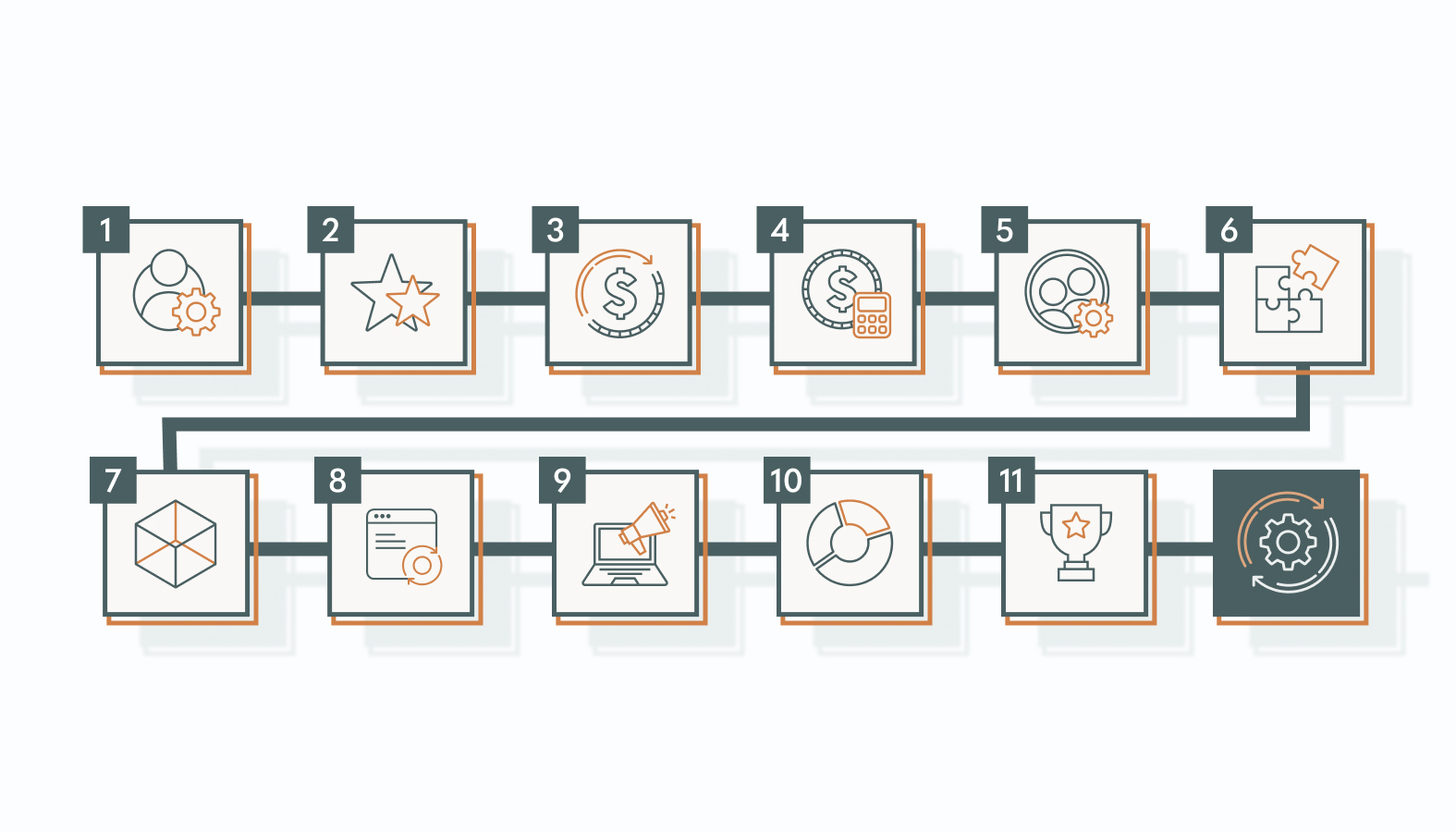
Stage 1: Subscriber and Lead Acquisition
Trigger: Visitor subscribes or downloads an asset.
Segmentation criteria: Anyone who is new to your list and can be marketed to. Segment by what they downloaded, job title, and what they are looking to achieve.
Message objective: Provide them with what they’re looking for and have them take the next step. You can try sending them an article or video that pertains to and addresses their problems.
Next action: Move them to activation when they start a trial, or to consideration when they request pricing or a demo. Stop introductory nurture when either flow begins.
KPI: Percentage of new leads who meet your agreed marketing-qualified lead criteria within 30 days.
Stage 2: Activation
Trigger: A trial user has not connected a data source within 48 hours of signing up.
Segmentation criteria: Trial users who haven’t integrated their data after 48 hours. Segment by which trial setup step they got stuck on.
Message objective: Help them experience value. For example, explain how connecting their data lets them create their first report.
Next action: Stop data-connection reminders once the data source is connected. If they haven’t created a report, send guidance for that next step. Once the report is created, stop activation reminders and move users showing purchase intent to consideration.
KPI: Percentage of trial users who create their first report within 7 days of signing up. Track time to value alongside this activation rate.
Stage 3: Consideration
Trigger: An identified lead requests pricing or visits the pricing page twice within seven days.
Segmentation criteria: Any qualified lead that doesn’t have a sales rep working with them. Segment by company size and use case.
Message objective: Help answer any questions they may have about purchasing. Let them know they can book a demo that is relevant to them.
Next action: If they book a demo, assign them to a sales rep. If they make a purchase, move them to conversion. If they stop showing interest in purchasing, move them back to a lower-frequency sequence.
KPI: Percentage of qualified leads entering this flow who book a demo within 14 days.
Stage 4: Conversion
Trigger: Payment is confirmed or a contract is signed, according to your agreed definition of a new customer. This should be updated in your billing system or CRM.
Segmentation criteria: Anyone who just made a purchase. Segment by what plan they bought and if they need help with implementation.
Message objective: Confirm the purchase and explain when the customer will receive access and what they should do next.
Next action: Remove them from any sequences that only apply to prospects. Begin onboarding them once they have access to your product. Prevent duplicate enrollment if multiple systems report the same purchase.
KPI: Percentage of new customer accounts that begin onboarding within two business days of receiving access.
Stage 5: Onboarding
Trigger: A new paying account receives access and still has required setup tasks to complete.
Segmentation criteria: Any customer that has not finished onboarding. Segment by job title. Admins will need to know how to set things up, and executives will need to know how to roll out your product.
Message objective: Help the account administrator complete the next unfinished setup task, such as inviting teammates or setting report permissions.
Next action: Stop reminders for each task as it is completed. Move the account to adoption once required setup is complete and its first shared report is delivered. If setup stalls for three business days, create a customer success task with the incomplete steps and recent activity.
KPI: Onboarding completion and time to complete.
Stage 6: Adoption
Trigger: Your customer has completed onboarding and is ready to use your product.
Segmentation criteria: Customers who are currently using your product. Segment them by title and what features they’re using. Just because they’re logging in doesn’t mean they’re getting value.
Message objective: Send them a call-to-action that will benefit them. Perhaps they can automate a report to be sent to them weekly.
Next action: Stop sending them an email about that feature once they use it. If they are using a large amount of space, they may be a good candidate for expansion. If the account meets your defined inactivity threshold, move it into the inactivity flow and pause conflicting adoption reminders.
KPI: Percentage of eligible accounts using the target feature weekly.
Stage 7: Expansion (Upsell/Cross-sell)
Trigger: Customer is using 90% of their available space for 2 weeks straight.
Segmentation criteria: Healthy accounts that can expand. They should not have open escalations.
Message objective: Show how additional capacity would solve the customer’s current constraint.
Next action: Route interested customers to sales or self-service checkout. A confirmed upgrade stops the offer and starts guidance for the new features. If there’s no response, apply a cooldown before another offer.
KPI: Percentage of eligible accounts entering the expansion flow that upgrade within 30 days. Track net revenue retention (NRR) separately as a broader business measure.
Stage 8: Renewal
Trigger: An annual account reaches 60 days before renewal. Adjust this timing to the contract’s notice period and your team’s renewal process.
Segmentation criteria: Accounts that are coming up for renewal. You can segment them by whether they are using your product more or less.
Message objective: Summarize the customer’s actual usage and results, then explain the renewal date, terms, and next steps.
Next action: Stop reminders for the current renewal once it is confirmed. Continue adoption messages where relevant. If usage drops or the customer raises concerns, pause expansion offers and assign a customer success follow-up. If they decline renewal, begin offboarding.
KPI: Percentage of accounts due for renewal in the reporting period that renew.
Stage 9: Advocacy
Trigger: A customer confirms a useful result during a success review, such as reducing weekly reporting time.
Segmentation criteria: Customers with a confirmed positive outcome, no unresolved support issues, and no advocacy request in the past 90 days. A Net Promoter Score (NPS) response can support selection, but shouldn’t be the only signal.
Message objective: Ask for one specific action, such as joining a short case study interview about their reporting results.
Next action: Thank customers who participate and pause further advocacy requests for 90 days. If they decline, stop follow-ups for that request while continuing relevant customer communications.
KPI: Percentage of invited customers who complete the case study interview within 30 days.
Stage 10: Inactivity
Trigger: A previously active account has neither created nor delivered a report for 14 days.
Segmentation criteria: Customers who are subscribed to your product but inactive. Segment by how they were using your product in the past. Some customers may use your product less frequently, so you may need to change this threshold.
Message objective: Help the account administrator resume reporting. Link to the relevant setup step or offer help fixing a disconnected data source.
Next action: Once the account creates or delivers a report again, stop inactivity emails and resume relevant adoption messages. If an unresolved support issue is blocking use, assign a customer success follow-up and pause automated reminders. If the customer cancels, move them to offboarding.
KPI: Percentage of accounts entering the inactivity flow that create or deliver a report again within 14 days.
Stage 11: Win-Back
Trigger: A former customer reaches 30 days after their paid subscription ends and remains eligible for marketing.
Segmentation criteria: Anyone who has left your product and to whom you can send marketing emails. Segment them by why they left and what they used to use in your product.
Message objective: Give them a reason to return that addresses why they left. For example, tell customers who canceled because of a missing integration when that integration becomes available.
Next action: Once they come back, you can stop sending them these emails. Move them to your onboarding or adoption flow if they need help. End your flow after a set number of emails if they don’t take action.
KPI: Percentage of former customer accounts entering the win-back flow that restart a paid subscription within 60 days.
Connecting Triggers and Controlling Handoffs
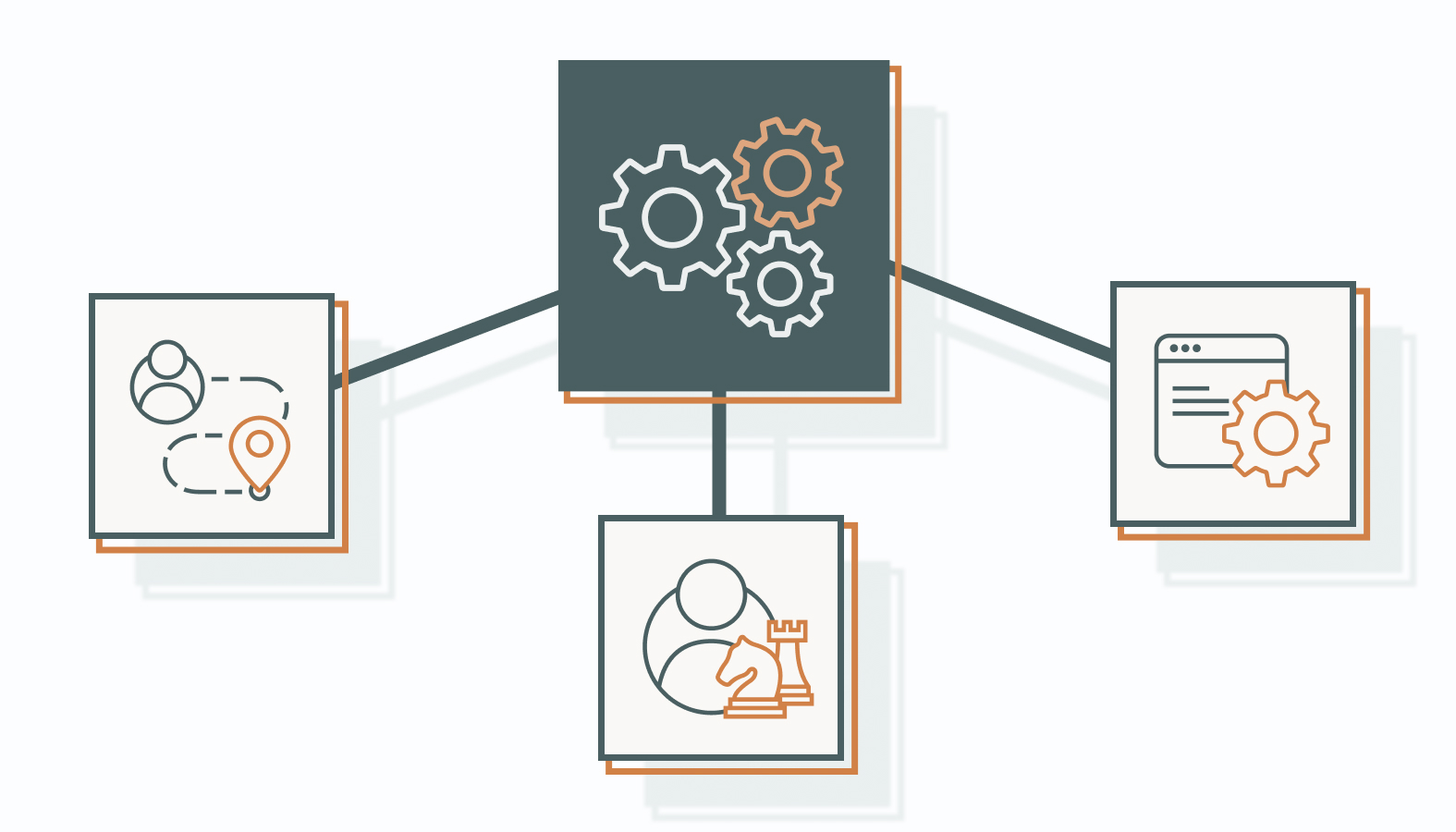
Keep a shared customer record that your systems can update and use. Include lifecycle status, completed milestones, renewal date, open escalations, and email eligibility. Track account-level information separately from individual contact activity so one inactive user doesn’t make an active company appear inactive.
For each event, record its name, source, timestamp, unique event ID, and associated contact or account. Use the event ID to prevent duplicate processing and the timestamp to identify delayed updates. Specify whether each event updates an individual contact or the entire account.
Set Entry and Exit Rules Together
Every flow needs a stop condition and an eligibility check before each send. Klaviyo’s profile filters are checked at entry and before flow actions, but failing a filter can skip a message without removing the person from the flow. HubSpot supports workflow unenrollment rules. Check how your platform handles both message suppression and full exit.
You can also set rules that will take priority over others. If someone makes a purchase, they should not be receiving acquisition emails. If they have an open escalation, they should not be receiving expansion emails. If a sales rep is actively working with them, pause overlapping automated sales outreach and let the rep control follow-up. You can create global frequency rules as well, and suppress certain emails that you don’t want to send at the same time. Manage essential service messages, such as receipts and security notices, separately from promotional flows. Define which messages are exempt from marketing frequency caps.
Give Human Handoffs an Owner
A support escalation, pricing request, or stalled implementation may need a person to step in. Assign an owner and a response deadline, and include the customer’s recent activity and the reason for the handoff. Pause conflicting automation until the owner records an outcome. Define which status change allows the customer to re-enter an automated flow.
Keep the System Maintainable
Begin by identifying where your lifecycle flows are falling short. If they’re still receiving trial emails after they buy, fix that problem before moving on to the next one. Assign an owner to review lifecycle rules and investigate unexpected enrollments.
Create a document that shows what rules were changed and why. Test your rules before launch, then monitor them after they go live. Use test profiles representing a new customer, a current customer, a paused customer, and a returning customer. Monitor failed event deliveries and unexpected spikes in flow enrollment. Set a timeline to check on your implemented rules and content.
Three Common Failure Modes and How to Debug Them
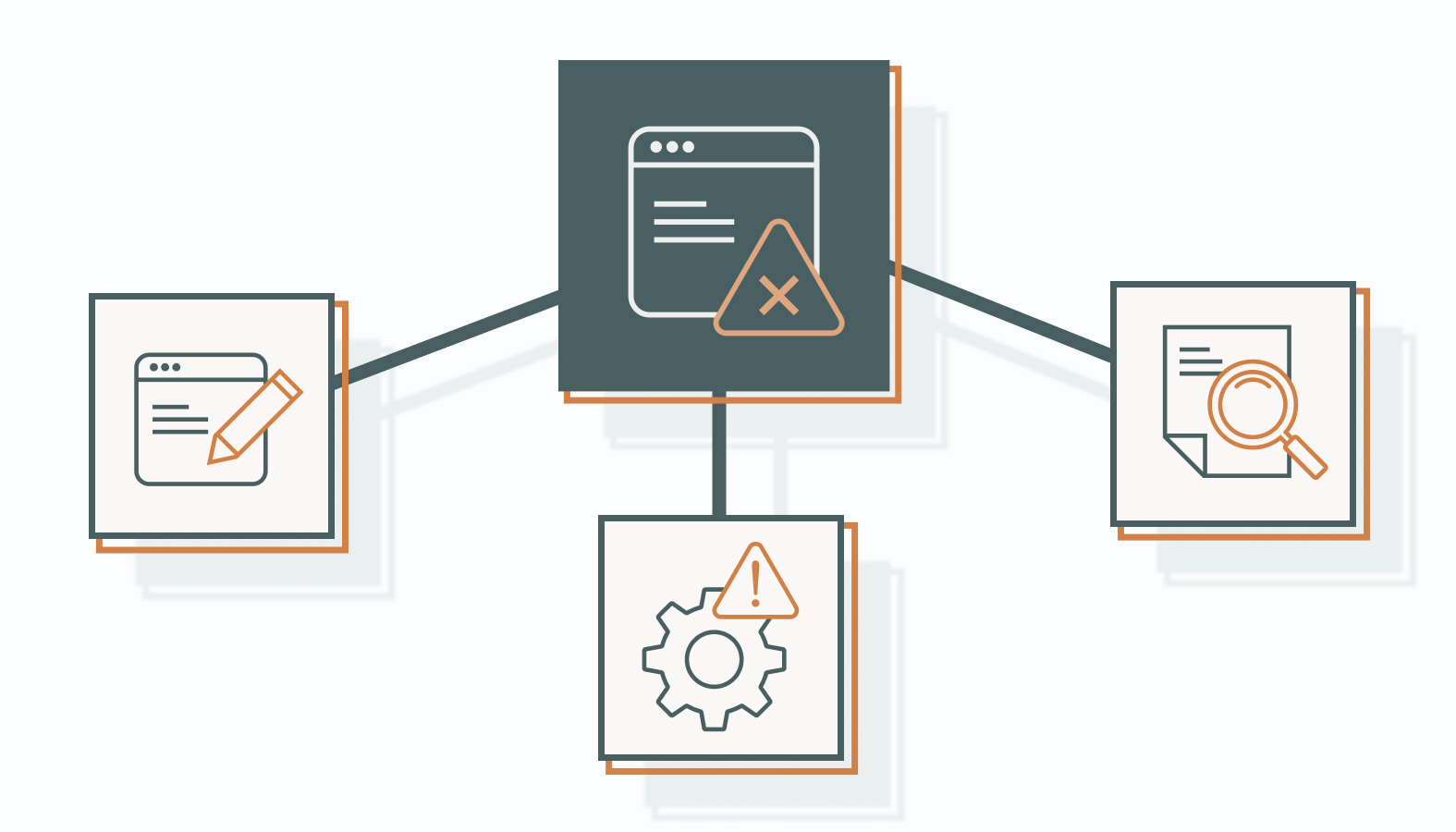
There are a few common failure modes that can occur when you have a complex email system. Here are a few of them and how you can possibly fix them:
1) Siloed Flows Lacking Shared Context
Your product team may use one platform and your marketing team another. If those software systems aren’t connecting, you may be sending unnecessary emails to your customers.
Native integrations or a customer data platform (CDP), such as Segment or RudderStack, can help share events and customer updates across your systems. Check the delivery timing and field mappings for each connection.
2) Engagement Decay and Lifecycle Fatigue
Sending too many emails can cause your customers to not engage. Look at how many emails they are receiving. Adjust your frequency caps and reduce the number of times you’re asking for something.
Opens can be misleading as well. Klaviyo explains how Apple’s Mail Privacy Protection affects open tracking. Look at how your customers are engaging with your product, replying to your emails, and converting.
3) Missing Suppression Rules
Make sure to test events that would send someone to multiple flows. If they buy, make sure your customer is removed from your trial flow. Test your duplicate events and delayed information. Understand why someone is entering and exiting your flow.
Frequently Asked Questions
How does lifecycle automation differ between B2B and Ecommerce?
B2B sales often involve several stakeholders. You may have users, buyers, and account holders that you need to market to. With ecommerce, you are usually marketing to one person. You still need to know when someone should and shouldn’t be receiving an email. If someone is browsing your website, you should only market to them if you know who they are and they are eligible to receive an email.
What is the difference between lifecycle email marketing and lifecycle automation?
Lifecycle email marketing is using email to market to your customers at each stage of their journey. Lifecycle automation, on the other hand, can include email but also other actions. Consider updating your CRM or creating a task for your sales team.
Which technology components are required?
You need a way to capture customer activity, connect it to the right contact or account, and update email eligibility. Your email platform also needs entry rules, exit rules, suppression controls, and reporting.
Start by checking whether your existing CRM, product integrations, and email platform can handle those jobs. A customer data platform or data warehouse may help when information is spread across several systems, but neither is automatically required. Choose additional tools around the data gaps and maintenance work your team actually needs to solve.
How long will it take to see results?
You may see an increase in your setup completion or reply rate right away. However, it will take longer to see an impact on your retention and revenue, especially if you have annual contracts. Know what your baseline is and how long you will be measuring for. If possible, A/B test your lifecycle against your current process.
Deciding Between Internal Ownership and Agency Support
Keep lifecycle automation in-house if your team has a named owner, reliable access to customer data, and time to test rules, monitor failures, and maintain content. When comparing agencies delivering lifecycle email marketing, ask who will own integrations, document entry and exit rules, handle incidents, and train your team. External support becomes useful when integrations are unreliable, ownership spans several teams, or internal capacity can’t cover maintenance. A hybrid model can also work: an agency builds or audits the architecture while an internal owner manages priorities and approvals.
Agency’s email and lifecycle marketing services can become a starting point for that. Bring your current flows, customer stages, and handoff problems when you schedule a candid conversation with one of our experts. We can discuss message overlaps, transitions, and what to prioritize next