To address delays in your team getting deliverables done, you introduced a standup meeting for Monday. Everyone was in agreement that it would be beneficial. However, by Friday nothing had been done. The problem was that nobody, including yourself, had a good understanding of how much work was actually in progress.
With workload management, it can be much easier to see how much work your team currently has in progress compared to how much they can realistically get done. You will be able to manage workloads based on capacity. If you are trying to assign work across your project team or even trying to understand why your marketing team isn’t getting as much done, you need to know what their current workload is. In this article we will explain how to identify if there is too much work in progress and what you can do about it.
7 Operational Warning Signs of Excess Work in Progress (WIP)
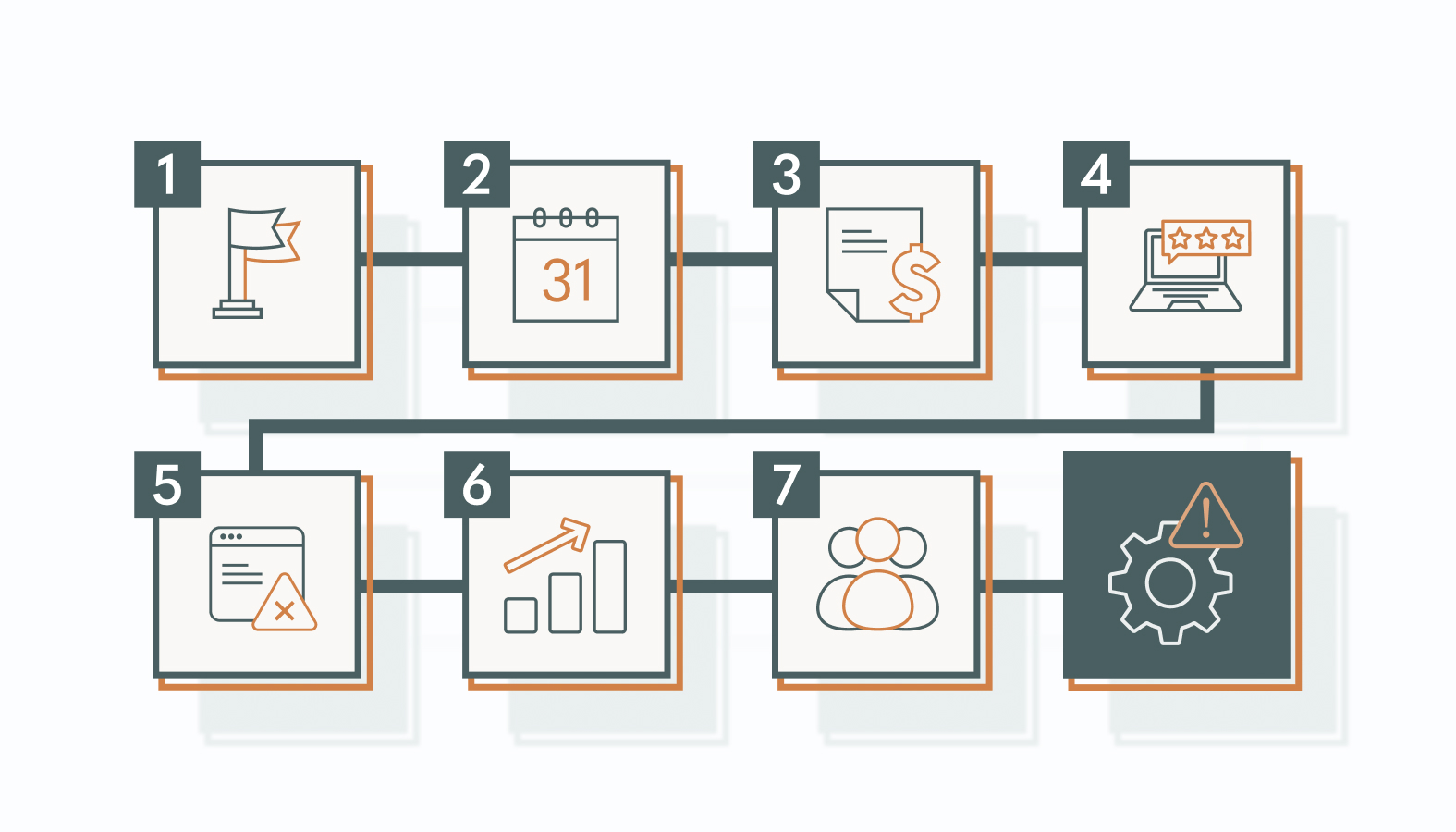
All marketing teams will have limits to how much capacity they have within their team. Once campaigns fall into action and exceed this capacity you can end up with slow outputs and issues such as delays, mistakes and incomplete projects. These red flags are quantifiable signs that tell you your team has too much work in progress. If many of these signs start to occur then you could be having issues managing the amount of work you’re giving your team.
1) The “90% Finished” Campaign Trap
Look at your project board now. If there are 5 campaigns waiting to go live but all currently in a near complete state (copy approved, design complete), this is a WIP issue. All these campaigns have required a lot of work from your team to get to this stage. However, none of them can be producing any results as they haven’t been launched yet.
These incomplete campaigns are taking up space on your work board and aren’t providing any value to your team. Ensure your team knows exactly what needs to be completed before they can be launched. Focus on removing the last stages from your current campaigns (approvals, handoffs, dependencies) instead of starting a new project.
2) Compounding Queue Delays and Stalled Due Dates
One deadline slips by two days. Then another. Then a third. Each extension feels minor on its own, but when you look at the full calendar, every project is running late by roughly the same margin. That pattern may indicate a congested pipeline rather than a series of isolated delays.
What usually drives this is a single dependency point under too much load. One designer handling five active project requests. One developer managing three campaign builds simultaneously. One strategist reviewing every piece before it moves forward. Work queues up behind that person, and every downstream task waits. The challenge is that these bottlenecks can make individual contributors appear less productive than they are. Their work may be ready to move forward, but the system has no capacity to process it.
3) High Context-Switching Penalties
When you ask your team members what they’ve worked on throughout the day, you may discover how often they’ve had to switch between unrelated tasks. Someone might pause an SEO project to help create social media images, then return to the original project an hour later. These interruptions can make it harder to maintain focus and complete work efficiently. According to Gloria Mark, associate professor at UC Irvine, interrupted work was resumed after an average of 23 minutes and 15 seconds. That doesn’t mean employees need 23 minutes to regain focus after every interruption, but it illustrates how task switching can delay a return to the original work.
Frequent task switching makes it harder to focus on complex work. Give team members dedicated time to complete priority tasks without constantly moving between projects.
4) Severe Review and Approval Backlogs
A strategy deck submitted on Monday sits in an executive’s inbox until Thursday. Landing page copy goes through two rounds of revisions before anyone realizes the offer itself was never finalized. These are not isolated incidents. They are symptoms of leadership trying to oversee too many active initiatives at once.
When decision-makers are spread thin, approvals slow down. And when approvals slow down, every downstream task (development, scheduling, distribution) slips with them. The result is a longer time to market for campaigns that have already consumed production resources, potentially delaying the return on that investment. A two-day approval delay on a time-sensitive campaign may reflect more than a communication issue. It could indicate that decision-makers have more work in progress than they can effectively review.
5) Declining Output Quality and Rising Error Rates
If you notice that your team is making more errors than normal then having too much WIP could be causing the issue. This could be due to your team having too much going on at once leading to issues such as broken links on your landing page or incorrect subject lines within your email campaigns. This would indicate that your team is becoming overloaded.
Having too much WIP can cause issues with attention to detail. For example if someone is working across 4 pieces of content then there isn’t enough time to fully proofread their 5th piece. This can impact how well your campaigns are performing and damage your brand reputation, especially if there are errors within the tracking or targeting.
6) The Growth of Off-The-Books “Shadow Tasks”
Your project management tool shows the team at 80% capacity. But your content strategist is spending two hours a day responding to Slack requests from the sales team. Your designer is rebuilding a one-pager for a sales representative who made an informal request. Your analyst is pulling a quick data report that nobody submitted through the official intake process.
None of that work appears on any dashboard. It does not exist in your capacity planning. But it is consuming real hours from real people. According to Asana’s Anatomy of Work Index, knowledge workers spent 60% of their time on “work about work,” including coordinating tasks, searching for information, and managing status updates, rather than skilled or strategic work. Ask your team what work they completed last week that wasn’t on the task list. The answers can help reveal where untracked work is consuming capacity. Until you account for these shadow tasks, your workload data remains incomplete, making it harder to plan accurately.
7) Chronic Burnout Misdiagnosed as a Staffing Issue
You can tell your team are burned out – deadlines aren’t being hit and outputs are low. While it may seem like adding more staff will be the solution, take a look at the active WIP.
Marketing teams can suffer from burnout due to many factors such as high workloads, lack of resources and conflicting priorities. An often overlooked cause is the amount of tasks people have to manage at the same time. Adding extra bodies to an already congested system may not help fix any bottlenecks. If you don’t improve processes, adding more people onto the team may actually create more coordination issues. Before adding new members of staff look into if your team could do more by reducing the amount of projects being worked on at the same time.
How to Identify Workload Imbalances Across Your Marketing Team
Diagnosing a workload management problem requires looking at how work moves through the system, not just individual performance. Leaders’ gut feelings and informal complaints are starting points at best. You need a structured audit that makes every active deliverable visible, then traces where the slowdowns come from.
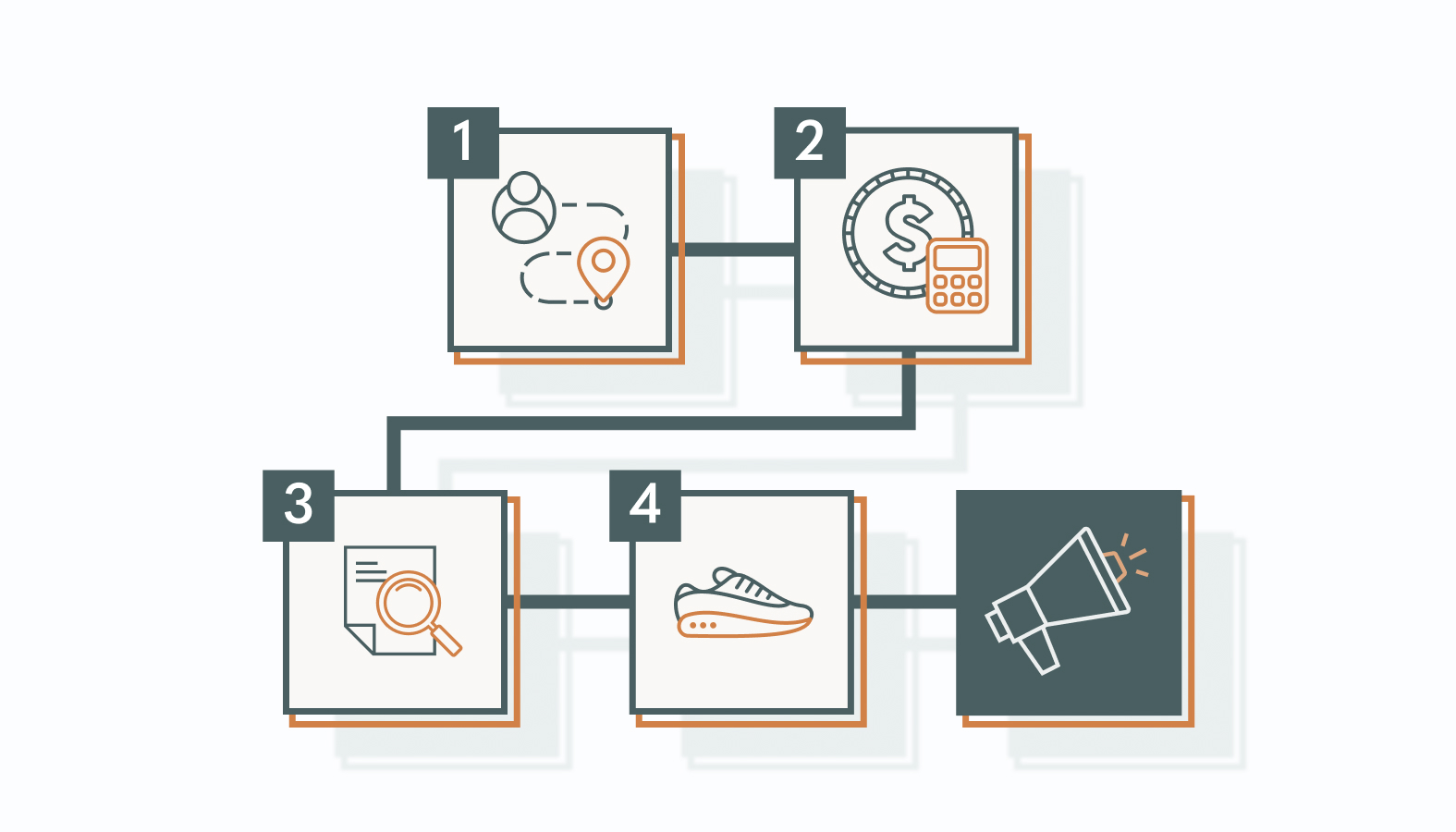
Step 1: Map Every Initiative Currently in Flight
Start by listing all your team’s active projects, including work that may not appear on the task board. Once you have a complete list, organize it in a shared Kanban board or spreadsheet that everyone can access.
This will allow your executives to see how much work your team has on their plates. If they see that your team has 34 projects going on at once, they’ll understand why your team may be falling behind. Make sure to define what counts as active work. Include projects that have started but are not yet complete, even if they are currently waiting for reviews, approvals, or other dependencies.
Step 2: Estimate Operational Effort, Not Just Task Count
Once you’ve listed all active projects, estimate the effort required to complete each one. Don’t rely on task counts alone, as some assignments require significantly more time than others.
Estimating exact hours can be difficult, especially for marketing work. Instead, consider assigning an effort score to each task, such as 1 for low effort, 2 for moderate effort, and 3 for high effort. This gives you a more consistent way to compare workloads without relying entirely on time estimates.
Step 3: Audit Approval and Handoff Bottlenecks
Once you understand the effort required, identify where work is getting held up. A piece of content may be waiting for approval, or a campaign may be stalled because another team hasn’t completed a required task.
Look for stages where work repeatedly sits idle. If content consistently waits several days for approval, consider setting a review turnaround target, assigning a backup approver, or reducing the number of items entering that approval queue.
Step 4: Run a WIP Audit in Your 1:1 Conversations
During your 1:1 meetings, ask team members what they’re currently working on. Go beyond “How are things going?” and ask which tasks are taking up their time, including any unplanned requests that haven’t been recorded on the project board.
These conversations can reveal hidden workload pressures and competing demands. Use what you learn to identify which tasks should continue, which can wait, and where team members need more time to finish existing work.
4 Workload Management Strategies to Unlock Throughput
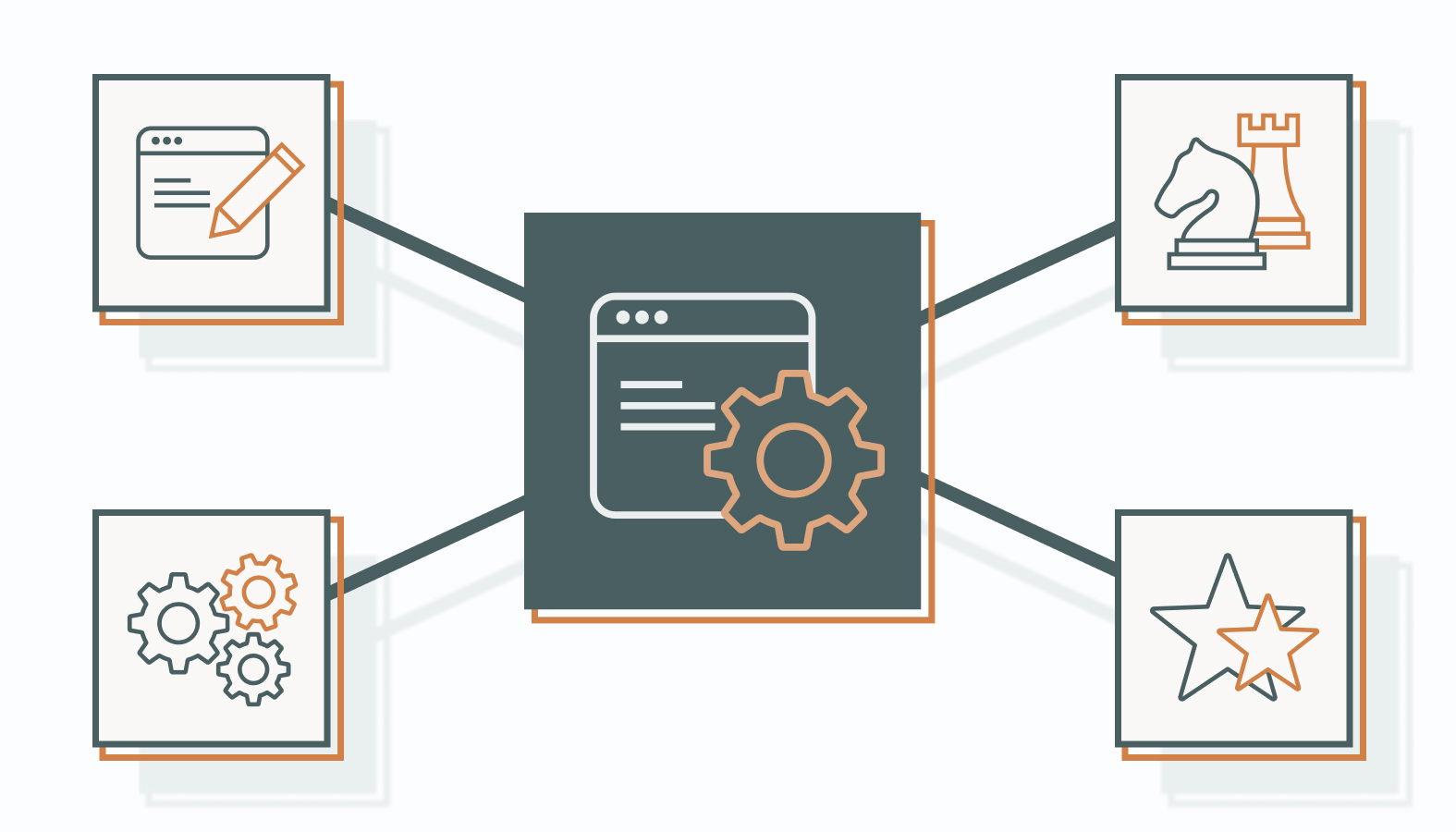
Here are the four workload management strategies you can use so you can manage your team’s workload effectively and help them be more productive:
Strategy 1: Establish Strict Work in Progress (WIP) Limits
When your team focuses on finishing existing work before starting new assignments, projects can move through the pipeline more efficiently. Limit how many major campaigns your team can work on at a time.
For example, your team might start by limiting active campaigns to two at a time. Once one campaign is completed, another can enter the workflow. Adjust the limit based on your team’s capacity and the complexity of the work. If a project must be paused, document its current status, remaining tasks, and conditions for resuming work. This helps prevent partially completed projects from being forgotten or restarted unnecessarily.
Strategy 2: Decouple Strategic Capacity Planning From Task Assignment
When planning your team’s capacity, start with the bigger picture. Estimate how much work the team can realistically complete over a month, then use shorter planning cycles to account for deadlines, availability, and changing workloads.
Leaders should establish realistic capacity limits and clarify which deliverables need to move forward. Team members can then organize their daily work within those limits, allowing them to focus on execution without unnecessary micromanagement.
Strategy 3: Enforce a Single Intake Point for New Campaign Requests
Use a standard intake form for new campaign requests. Each request should identify the target audience, campaign objective, required deliverables, and expected deadline.
If a new campaign would push the team beyond its WIP limit, communicate when capacity is expected to become available. Avoid automatically adding new work to an already congested pipeline, as this can create further delays and increase the risk of errors.
Strategy 4: Transition to Weekly Workload Planning Reviews
Hold a weekly workload planning review to assess how many projects are currently in progress, which deliverables are stalled, and where bottlenecks are forming.
Use these reviews to decide which tasks can move forward and whether the team has capacity for new requests. The goal is to keep work moving toward completion, not simply add more assignments to the board.
Workload Management FAQ: Overcoming Marketing Bottlenecks
What is the difference between workload management and project management?
Project management focuses on planning, coordinating, and delivering projects within their defined scope and timelines. Workload management focuses on how work is distributed across the team, how much capacity is available, and whether existing assignments can be completed without overloading resources.
How long does it take to see throughput improvements after capping WIP?
The timeframe varies depending on your team’s workload, project complexity, and existing bottlenecks. Some teams may notice fewer interruptions and clearer priorities shortly after introducing WIP limits. Improvements in throughput may take longer to measure as existing projects move toward completion. Track completed work, cycle time, and stalled tasks over several weeks to determine whether the changes are working.
At what team size should a business invest in paid capacity tracking tools?
Team size isn’t the only factor. A small team managing several campaigns, shared resources, and approval workflows may benefit from a paid workload management tool. A larger team with a straightforward workflow may be able to manage capacity using an existing project board or spreadsheet. Consider investing when manual tracking no longer gives you a reliable view of active work, resource availability, and delivery bottlenecks.
Fix the System, Then Scale the Output
If your team is showing several of these warning signs, the issue may be structural. Start by examining how much work is currently in progress and where projects are getting stuck.
These workload management strategies are a useful starting point, but applying them effectively requires a clear understanding of your team’s specific constraints and bottlenecks.
Schedule a candid conversation with one of our experts. Bring your current project board, your team’s active workload, and an honest assessment of where work is stalling. Agency can help you identify the constraints slowing throughput and determine what to address first.